Practical Guide for Creators: Understanding White Balance
22 April 2026
 0
0

Introduction
White balance is a foundational technical skill. When it is set correctly, colour feels natural, skin tones look healthy, and footage remains consistent across shots. When it is incorrect,
no amount of creative editing can fully repair the damage.
This guide is designed to remove confusion and provide a repeatable, professional approach to setting white balance in real-world shooting environments.
What White Balance Controls
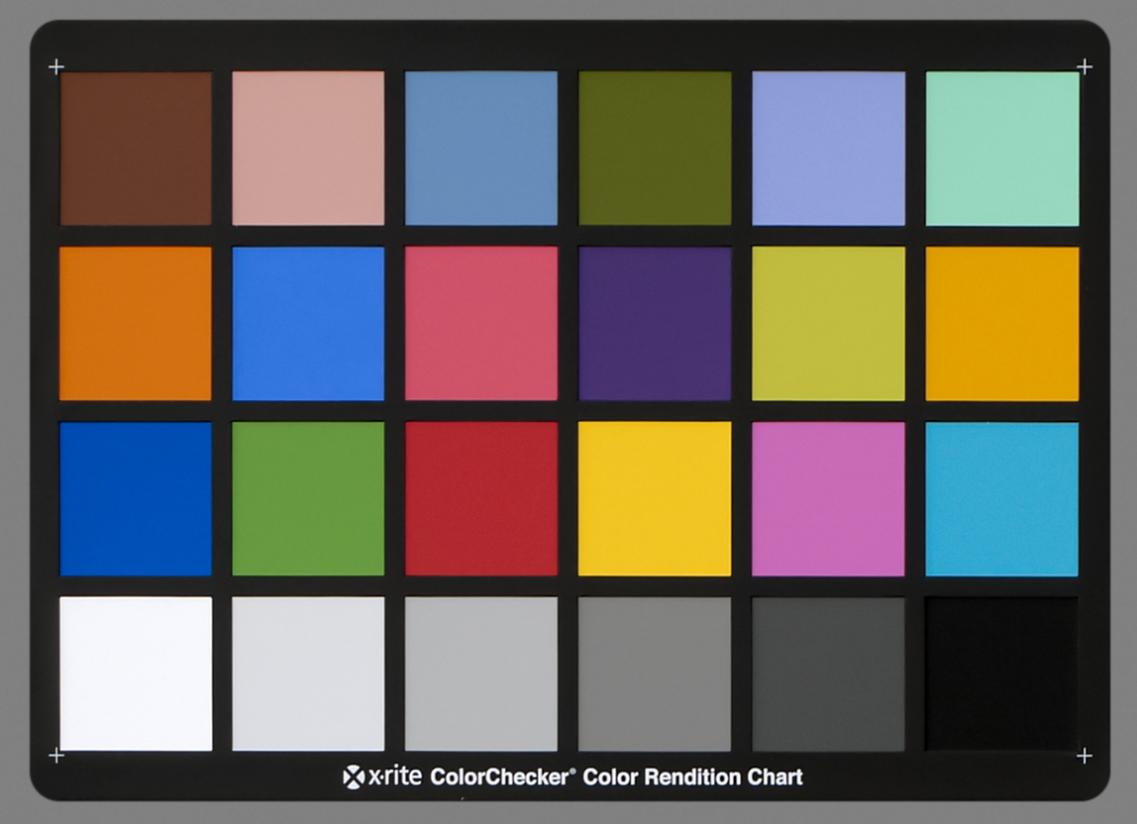
White balance defines how a camera interprets the colour of light within a scene. Its purpose is to ensure that neutral colours appear neutral regardless of lighting conditions.
Because all colours in an image are affected by the light source, an incorrect white balance shifts every colour simultaneously.
Understanding Colour Temperature (Kelvin)
Colour temperature is measured in Kelvin (K). Lower Kelvin values produce warmer, more orange tones, while higher values produce cooler, blue tones.
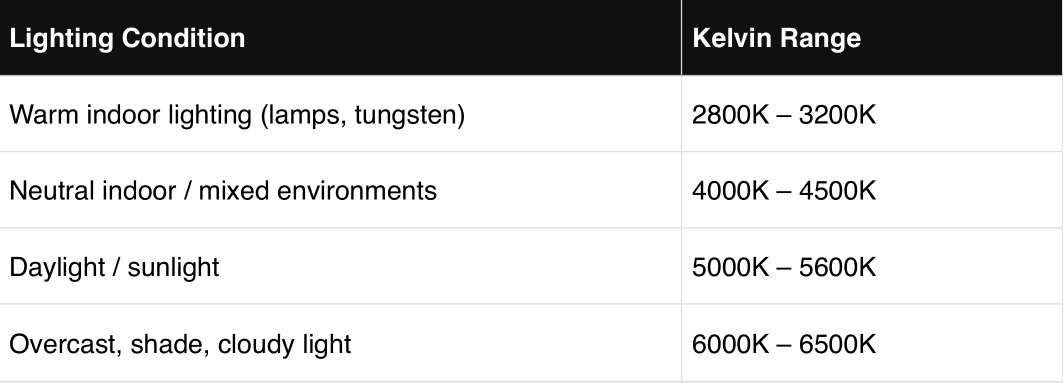
Adjustment principle: If an image appears too warm or orange, increase the Kelvin value. If it appears too cool or blue, decrease the Kelvin value.
Auto vs Manual White Balance
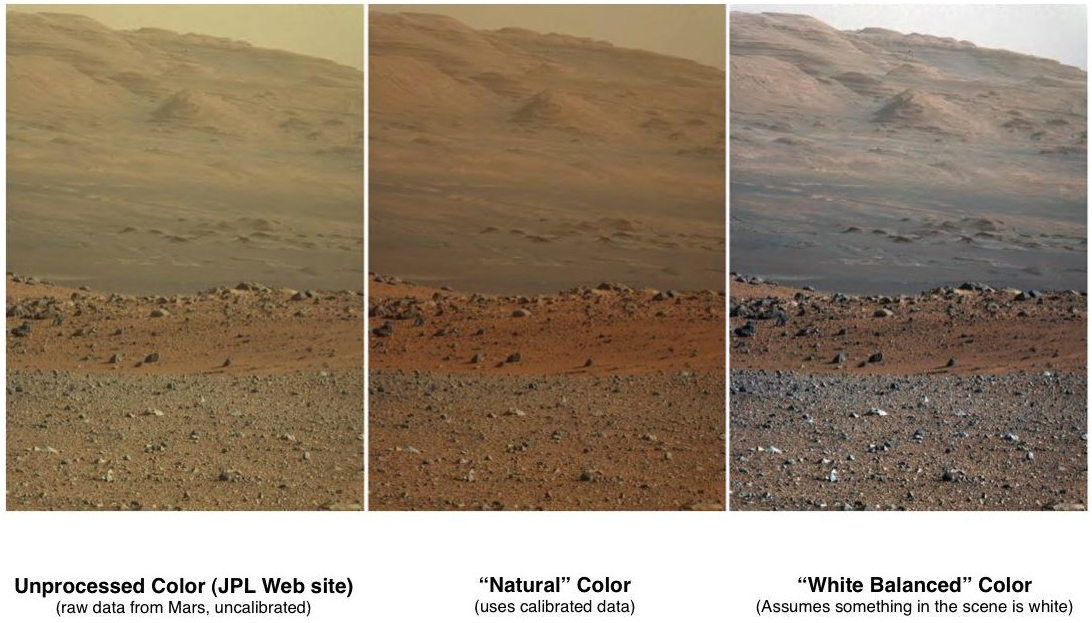
Auto White Balance continuously adjusts colour based on what the camera detects. This can result in visible colour shifts, particularly during movement or when framing changes.
Manual White Balance locks the colour temperature, ensuring consistency across shots, angles, and cameras. For professional work, manual white balance should always be used.
Professional White Balance Workflow
1 Disable Auto White Balance.
2 Identify the dominant light source.
3 Set an initial Kelvin value based on the environment.
4 Evaluate skin tones and neutral surfaces.
5 Fine-tune until colours appear natural.
Mixed Lighting Environments
Mixed lighting occurs when multiple light sources with different colour temperatures are present. This is one of the most common challenges in real-world shooting.
Where possible, remove or match light sources. When this is not achievable, prioritise skin tones over background accuracy.
Custom White Balance
Custom White Balance allows the camera to calculate colour temperature using a neutral reference. This provides the highest level of accuracy and is recommended for interviews,
product photography, and controlled environments.
Quick Reference
1. Indoor Tungsten - set around 2500K - 3500K
2. Golden Hour - set around 3000K - 4000K
3. Fluorescent - set around 4000K - 5000K
4. Daylight - set around 5200K–5600K
5. Cloudy - set around 6500K–8000K
6. Blue Hour - set around 9000K
7. Clear Sky - set around 10000K
White balance is not a creative decision. It is a technical foundation that allows creative decisions to succeed.





 Your account requires approval before you can login.